Overview
Hosted Checkout: Customers are redirected to Oceanpayment's secure, hosted payment page to complete their transactions. This is the fastest and simplest integration method.
Hosted Checkout
Oceanpayment's Hosted Checkout solution lets you accept payments without dealing with complex integrations or security compliance.
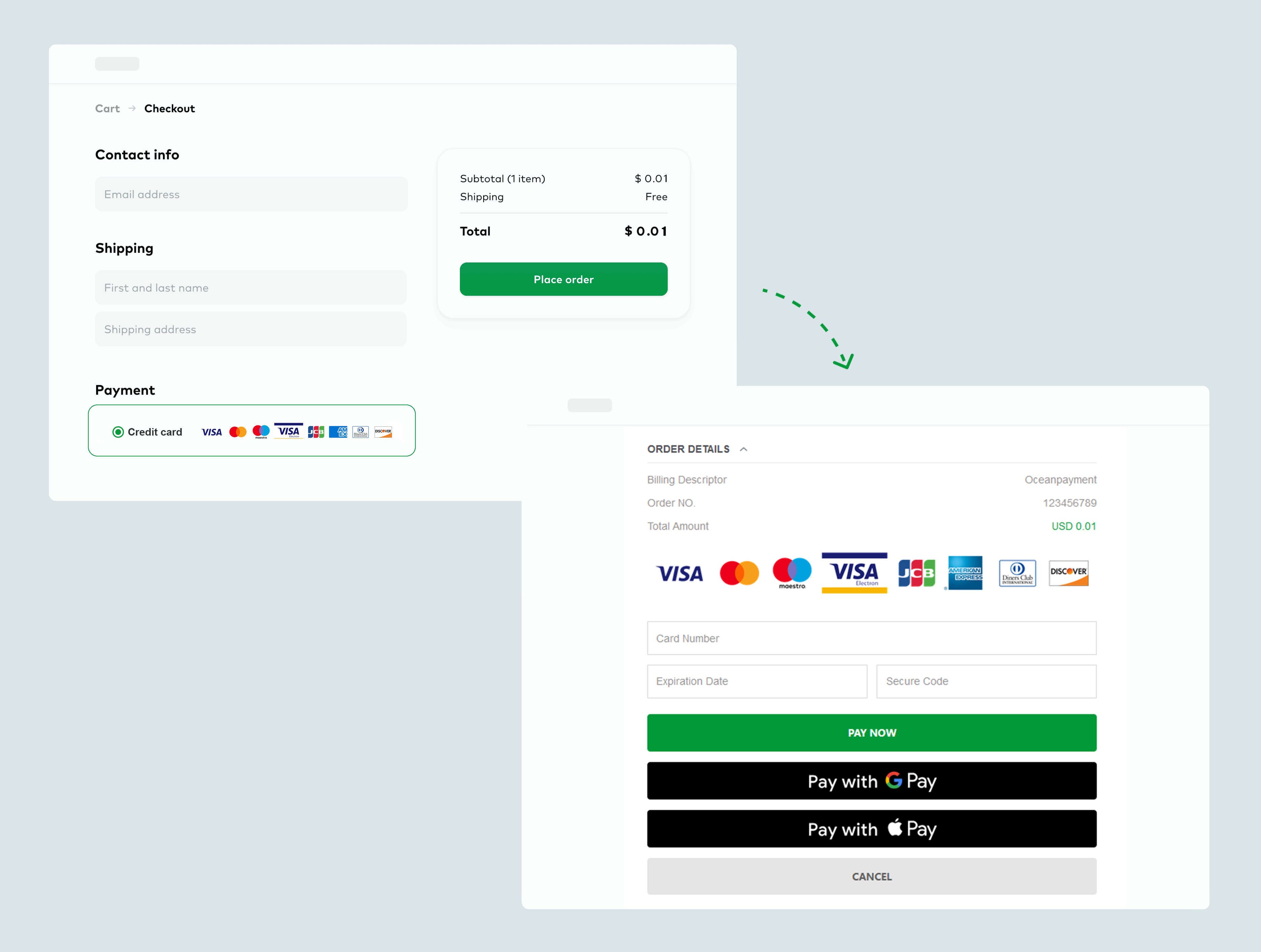
Integration Methods
Oceanpayment offers two Hosted Checkout workflows. Choose the one that best fits your integration needs:
How It Works
- Merchant Control Redirect
- Oceanpayment Auto Redirect
Flowchart
- Initiate transaction by calling the Hosted Checkout API from your server and submitting the required parameters:
cURL -X POST 'https://test-secure.oceanpayment.com/gateway/service/sendTrade' \
-H 'Content-Type: application/x-www-form-urlencoded' \
-d 'account=995149' \
-d 'terminal=99514901' \
-d 'signValue=6b86b273ff34fce19d6b804eff5a3f5747ada4eaa22f1d49c01e52ddb7875b4b' \
-d 'backUrl=https://www.abc.com/back.php' \
-d 'noticeUrl=https://www.abc.com/notice.php' \
-d 'order_number=NO12345678' \
-d 'order_currency=USD' \
-d 'order_amount=0.01' \
-d 'methods={{methods}}' \
-d 'order_notes=' \
-d 'billing_firstName=test' \
-d 'billing_lastName=test' \
-d 'billing_email=test@gmail.com' \
-d 'billing_phone=13800138000' \
-d 'billing_country=US' \
-d 'billing_state=AL' \
-d 'billing_city=Washington D.C.' \
-d 'billing_address=705A big Road' \
-d 'billing_zip=529012' \
-d 'billing_ip=127.0.0.1' \
-d 'productNum=1' \
-d 'productName=Red Dress' \
-d 'productSku=#001' \
-d 'productPrice=0.01' \
- Retrieve the
pay_url:
<?xml version="1.0" encoding="UTF-8"?>
<respon>
    <account>995149</account>
    <terminal>99514901</terminal>
    <signValue>20303645096FC2AEB64AE39B72A846F4B83BBC90B123C3FB27567F46CDD676E8</signValue>
    <order_number>20230322B2COW03431</order_number>
    <order_currency>HKD</order_currency>
    <order_amount>0.1</order_amount>
    <order_notes></order_notes>
    <payment_id>231205114442682010542</payment_id>
    <pay_url>https://test-secure.oceanpayment.com:443/gateway/service/redirect?pay_id=b6e6cf9d407ce1801f62c9d204c53e512c060ffdcbc56</pay_url>
    <pay_results>1</pay_results>
    <pay_details>0000:Success</pay_details>
</respon>
- After Oceanpayment returns the
pay_url, the merchant is responsible for redirecting the customer to the payment page:
HTTP/1.2 301 Moved Permanently
Location: {pay_url}
Different payment methods may have different mechanisms for handling repeated access to pay_url:
- Credit Card: The same
pay_urlcan usually be reopened multiple times before the transaction is completed. Users can re-enter the payment page and resubmit their credit card payment information. - Alternative Payment: Alternative payment methods typically have restrictions on one-time payment sessions or payment credentials. The same
pay_urlcannot be reopened or used to continue the payment after the first access, payment submission, or completion of the payment process.
Therefore, merchants should not rely on repeatedly opening the same pay_url to retry a payment. If the user does not complete the payment or needs to initiate the payment again, the merchant should create a new payment order based on the current transaction status and use the newly returned pay_url.
- The customer selects a payment method and completes the payment on the Oceanpayment page.
- After payment is completed, the customer is redirected back to your website via
backUrl.
Flowchart
- Merchants use a front-end form to call Hosted Checkout submit parameters:
<form action="https://test-secure.oceanpayment.com/gateway/service/pay" method="post">
  <input type="hidden" name="account" value="995149" />
  <input type="hidden" name="terminal" value="99514901" />
  <input type="hidden" name="order_number" value="NO12345678" />
  <input type="hidden" name="order_currency" value="USD" />
  <input type="hidden" name="order_amount" value="0.01" />
  <input type="hidden" name="signValue" value="egh4fjs2f3h4mc5g3j7676vzva53gfd33dfga1458fe2f12343y" />
  <input type="hidden" name="backUrl" value="http://www.abc.com/result.php" />
  <input type="hidden" name="noticeUrl" value="http://www.abc.com/notice.php" />
  <input type="hidden" name="methods" value="Credit Card" />
  <input type="hidden" name="billing_firstName" value="test" />
  <input type="hidden" name="billing_lastName" value="test" />
  <input type="hidden" name="billing_email" value="test@test.com" />
  <input type="hidden" name="billing_phone" value="0755-123456789" />
  <input type="hidden" name="billing_country" value="US" />
  <input type="hidden" name="billing_city" value="Washington D.C." />
  <input type="hidden" name="billing_address" value="705A big Road" />
  <input type="hidden" name="billing_zip" value="529012" />
  <input type="hidden" name="productSku" value="#001" />
  <input type="hidden" name="productName" value="dress" />
  <input type="hidden" name="productNum" value="1" />
  <input type="submit" value="Submit" />
</form>
- Users select a payment method and make payment on the Oceanpayment page;
- After payment is completed, the user is redirected back to the merchant's website.
Handling Payment Results
In the payment result processing,
- Synchronous return results depend on
backUrl:
- Response
//The form returned via POST:
Array
(
    [response_type] => 0
    [account] => 995149
    [terminal] => 99514901
    [signValue] => F03C3D5154FC2672C5EC05BAD3DDDF0892617CC1517517DCD37E6499AA896D73
    [methods] => Credit Card
    [order_number] => NO12345678
    [order_currency] => USD
    [order_amount] => 0.01
    [order_notes] =>
    [card_number] =>
    [card_type] => null
    [payment_country] => US
    [payment_id] => 221214134817000529042
    [payment_Method] => Credit Card
    [payment_authType] => 2
    [payment_status] => 1
    [payment_details] => 80000:Transaction Approved
    [payment_solutions] => None required.
    [payment_risk] =>
    [payment_amount] => null
    [payment_exchangeRate] => null
    [pay_userId] => null
    [pay_barCode] =>
    [payment_bankInfo] =>
)
- You also need to obtain the transaction information via
noticeUrlWebhook. - View Payment Status Description.
Signature
The signature (signValue) format differs depending on the Hosted Checkout redirect mode you choose. Refer the Signature and Verification section for detailed instructions.